





LocalSend: Transfer Files
by Bibek Saha
Send files to nearby devices - open source, cross platform


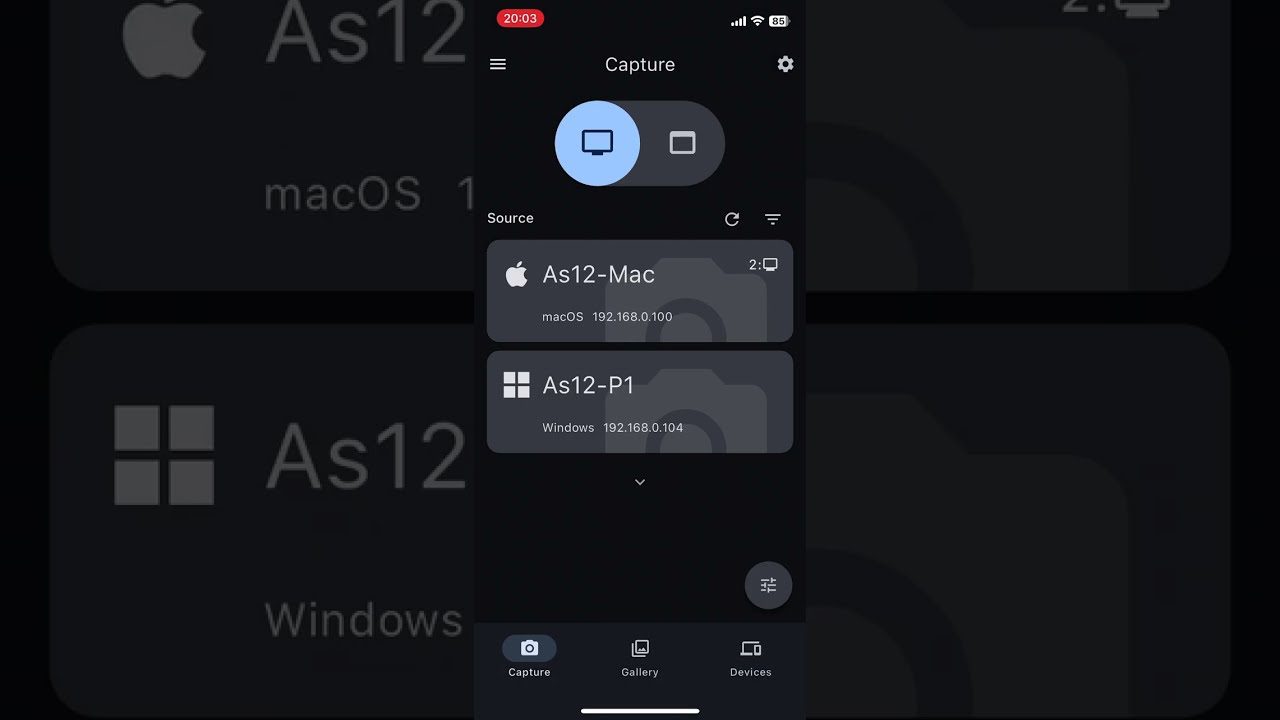
Take screenshots on PC and Mac using your phone or tablet

 ★ 5.0
· 1 rating
by Alexander Avdonin · Flutter Pro
Listed on It's All Widgets · supported by Invoice Ninja , Event Schedule and Stackapella
Screenshot Remote revolutionizes the way we interact with our devices, providing a seamless and secure method to capture and manage screenshots across various platforms. It enables users to take screenshots on remote computers using their phone, tablet, or another computer via a local network connection or Wi-Fi.
- Privacy and Security: With a commitment to user privacy, Screenshot Remote stores all data locally on the user's devices without uploading it to external servers or databases, providing peace of mind regarding data security. Images and commands are securely transferred between devices over a local network or Wi-Fi, using industry-standard encryption.
- Device Pairing: To utilize the application, users must first pair their devices, establishing a secure connection for the seamless transfer and management of screenshots. The Devices tab simplifies the process of keeping track of all paired devices, allowing for easy organization and access within the application.
- Customization Options: Users have the ability to customize their screen capture settings, tailoring the experience to their individual preferences and requirements.
- Multi-Monitor Support: For users with multi-monitor setups, Screenshot Remote thoughtfully includes the ability to select which monitor to capture, ensuring precise screenshot functionality.
- Image Editing and Management: The Gallery tab not only stores screenshots but also offers editing tools and sharing options, streamlining the process from capture to utilization.
- Cross-Platform Compatibility: Screenshot Remote is designed to operate across various platforms, including Android, iOS, macOS, and Windows, ensuring a versatile and user-friendly experience regardless of your device. However, screen capture is available only on PC and Mac.
by Bibek Saha
Send files to nearby devices - open source, cross platform


Logbook for bike suspension, tire pressure and service, with the weather of every ride.


Available for hire
I'm a final year engineering student.
View Athul on Flutter ProA powerful IDE/Code for Android with offline compilers of popular languages. Inspired by VScode.

Fast & Secure Internet
The open-source way to share your event calendar
Invoicing, quotes and payments for freelancers and businesses
Learn harmony and stack your own voices, free in your browser


